Beakwatch: turn BirdNET-Go into a wall display
30 May 2026
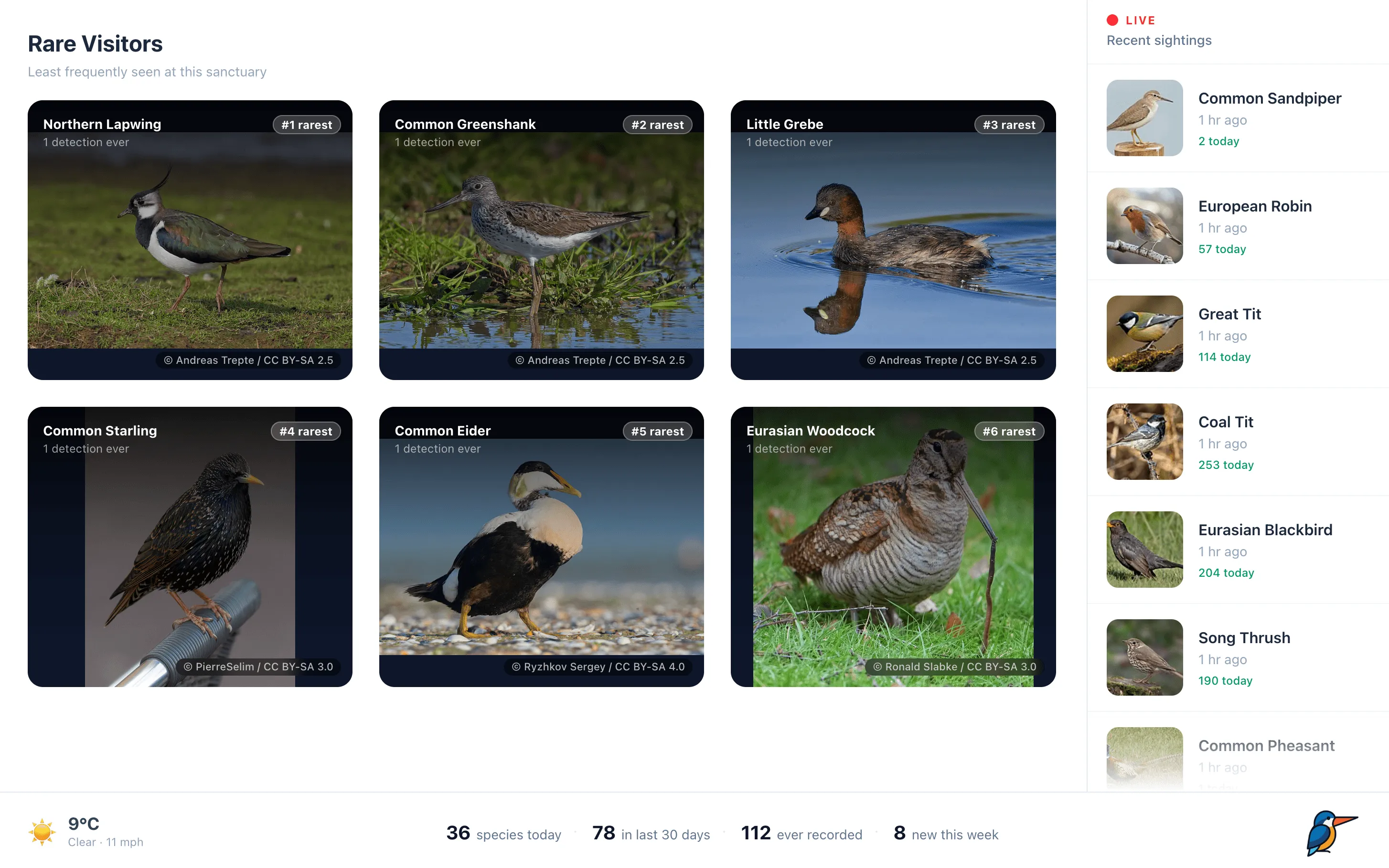
We really love the BirdNET-Go platform here at Beak Tech. It’s been extremely reliable for us in detecting birds 24/7 and provides a great dashboard to view the data. Whilst it’s a great platform for those managing an acoustic monitor, we wanted a way to put the same data on show and Beakwatch is the result. It’s a free, open-source display that hooks straight into BirdNET-Go and runs unattended on any spare screen, cycling through your detections, displaying all your latest data, with no login and nothing to click.
What it shows
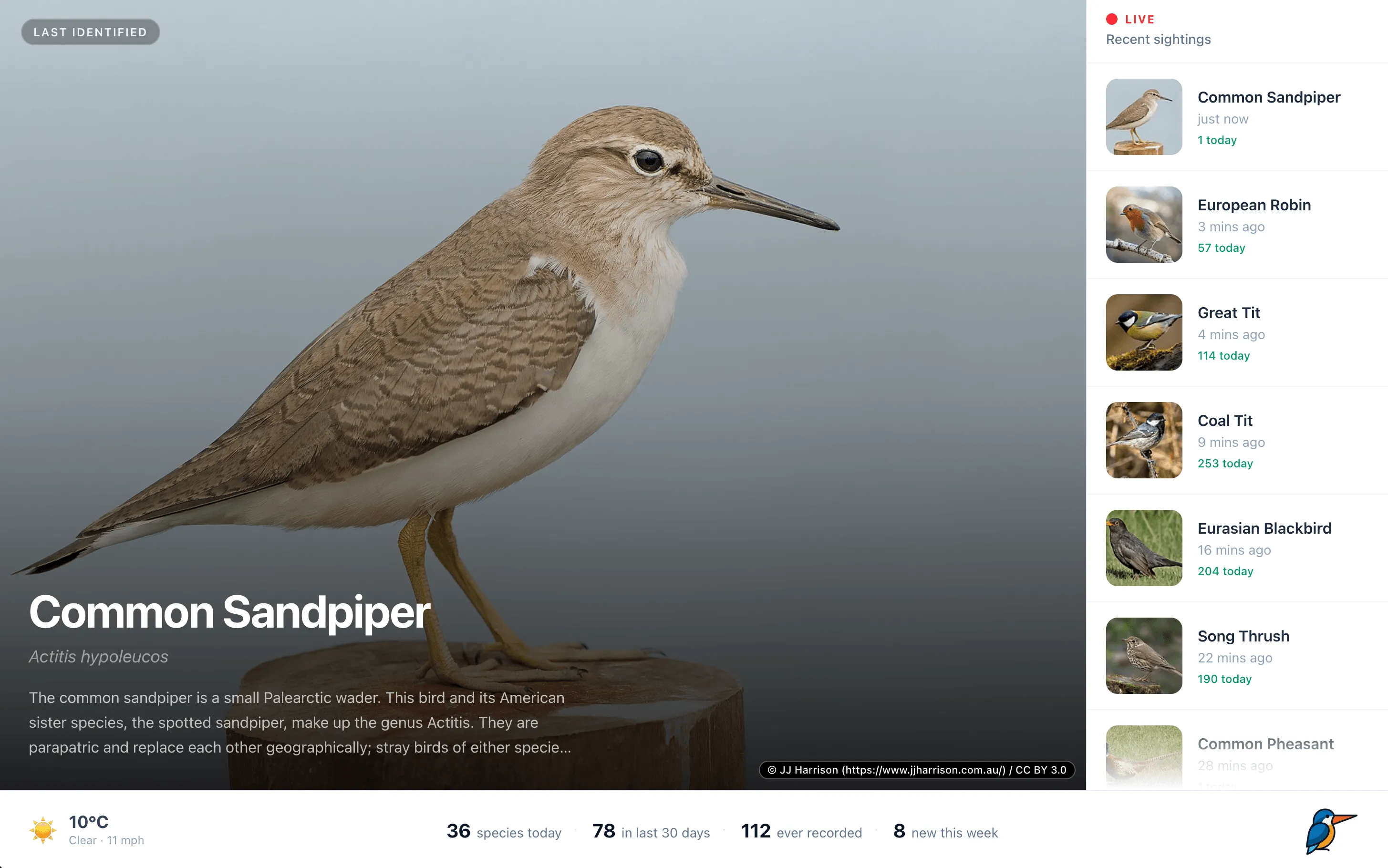
Beakwatch rotates through a series of full-screen panels, with a live sidebar of the latest sightings always on the right:
- The latest bird - full-size, high-quality photo of the most recently detected species.
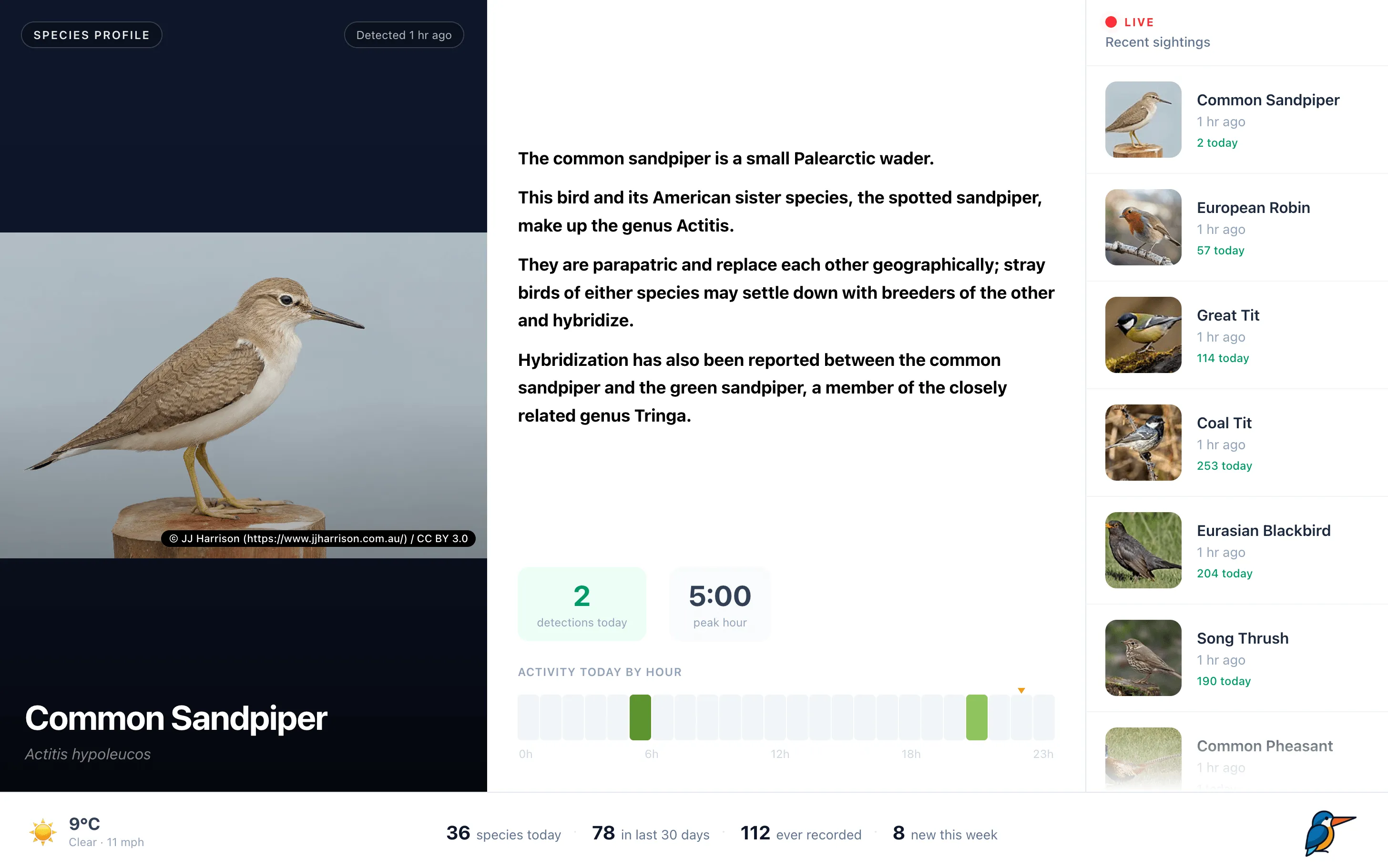
- A species spotlight - shows the latest bird with more information and detection data.
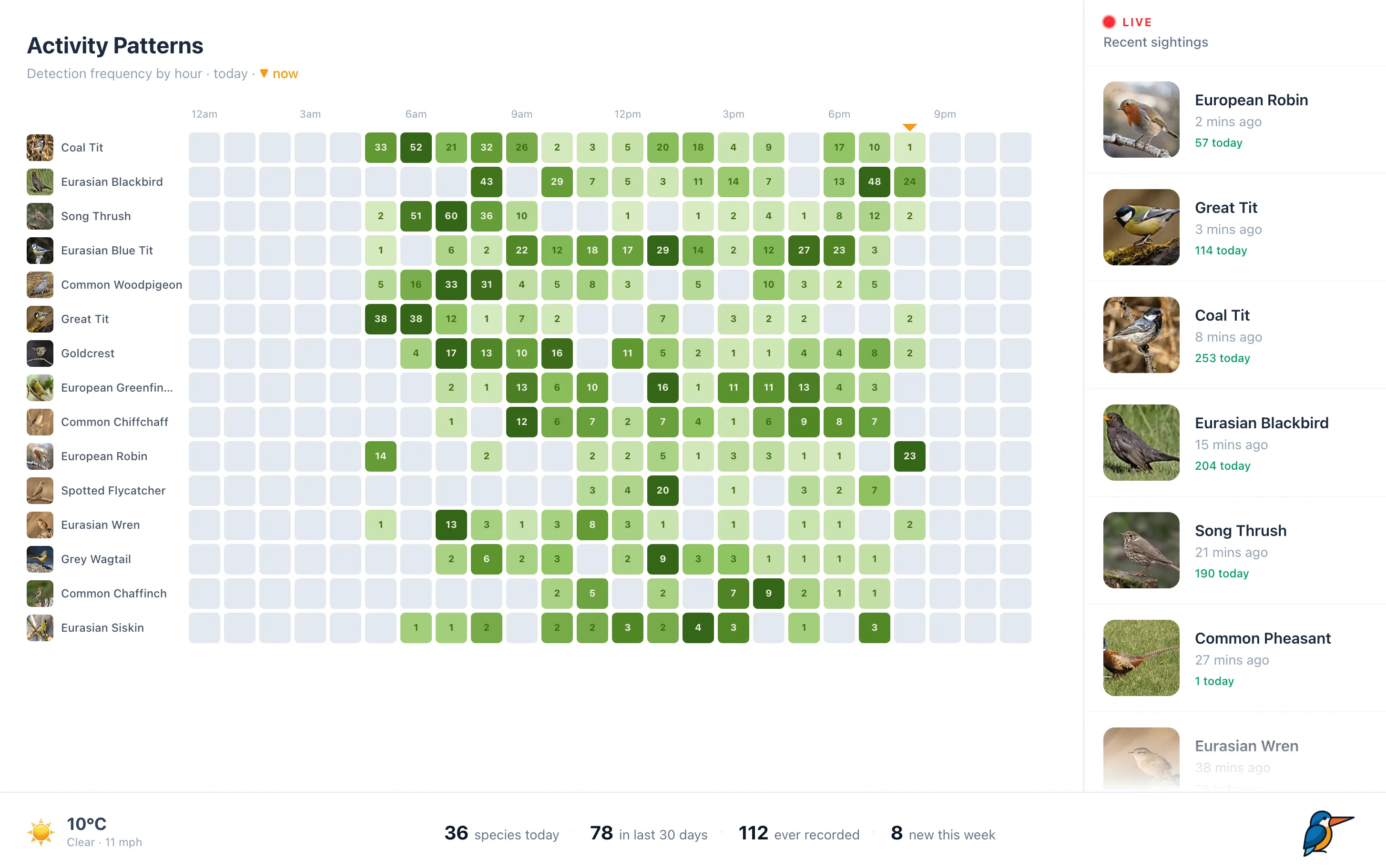
- Activity patterns - a heat-map of which species were active in which hours today.
- Your most popular species - most popular birds from the last 30 days.
- Rare visitors - the birds you’ve heard least often.
Bird photos and descriptions are pulled from Wikipedia the first time a species shows up, then cached to disk, so the repo ships with zero images and your display fills itself in over time as new birds arrive.
Every photo is shown with its photographer credit and licence. Those Wikimedia images are shared on the condition that the attribution stays visible, and Beakwatch keeps it on screen for you.
What you’ll need
- A running BirdNET-Go instance (with v2 HTTP API enabled), reachable on your network.
- A computer to run Beakwatch on - a Raspberry Pi, a NAS, a spare laptop, or the same box as BirdNET-Go. It needs Node.js 20 or newer.
- A screen to show it on. Beakwatch is built as a fixed-layout kiosk for large screens (1280px wide and up) and iPads in landscape - think wall-mounted monitor or tablet, not a phone. There’s no mobile layout, and that’s by design.
That’s everything. No API keys, no accounts, no cloud anything. The weather comes from Open-Meteo, which is free and keyless.
Setting it up
Here’s the full walkthrough of the setup:
1. Get the code
git clone https://github.com/beaktech/beakwatch
cd beakwatch
npm install
2. Point it at your BirdNET-Go
Beakwatch reads its configuration from a file at server/.env. There’s an example to copy:
cp .env.example server/.envOpen server/.env in your editor. The only setting you must change is the address of your BirdNET-Go instance - include the http:// and the port:
BIRDNET_GO_URL=http://192.168.1.10:8080While you’re in there, it’s worth setting your location so the weather panel is accurate:
LAT=51.5074
LON=-0.1278
Got more than one BirdNET-Go (say, one in the garden and one in the allotment)? List them all and Beakwatch will add a switcher to the display:
BIRDNET_GO_URLS=http://192.168.1.10:8080,http://192.168.1.11:8080
BIRDNET_GO_NAMES=Garden,Allotment
3. Build and run
npm run build   # bundles the display
npm start       # starts the server
Then open http://localhost:2325 in a browser. You should see your birds.
4. Make it a kiosk
Once it’s working, the last step is getting it onto the wall. The approach is the same on most devices: point a full-screen browser at the Beakwatch URL and leave it there.
- Raspberry Pi / Linux: launch Chromium in kiosk mode at boot, e.g.
chromium-browser --kiosk http://localhost:2325. - iPad: open the URL in Safari, add it to the Home Screen, and use Guided Access to lock it to that one app.
- Any spare monitor: full-screen the browser (F11) and disable the screensaver.
Beakwatch refreshes itself on a timer, so once it’s up you never need to touch it.
A note on running it day-to-day. Beakwatch has no login and assumes it’s on a network you trust - your home LAN. Don’t expose it directly to the internet; if you need remote access, put it behind something that handles authentication.
Why we built it
We built Beakwatch to display BirdNET-Go’s data in a more digestible, at-a-glance way, without needing to open the dashboard and click around. It’s deliberately small and focused - just a proxy server, a React display, and a disk cache for photos. No database, no accounts, nothing to maintain.
It’s MIT-licensed and open source, with the code at github.com/beaktech/beakwatch. Issues and pull requests are welcome, and if you set one up we’d be glad to hear where it ended up.
None of this would exist without BirdNET-Go itself, which is why Beak Tech sponsors its developer, tphakala, on GitHub. If Beakwatch is useful to you, the project behind it is well worth supporting too.